
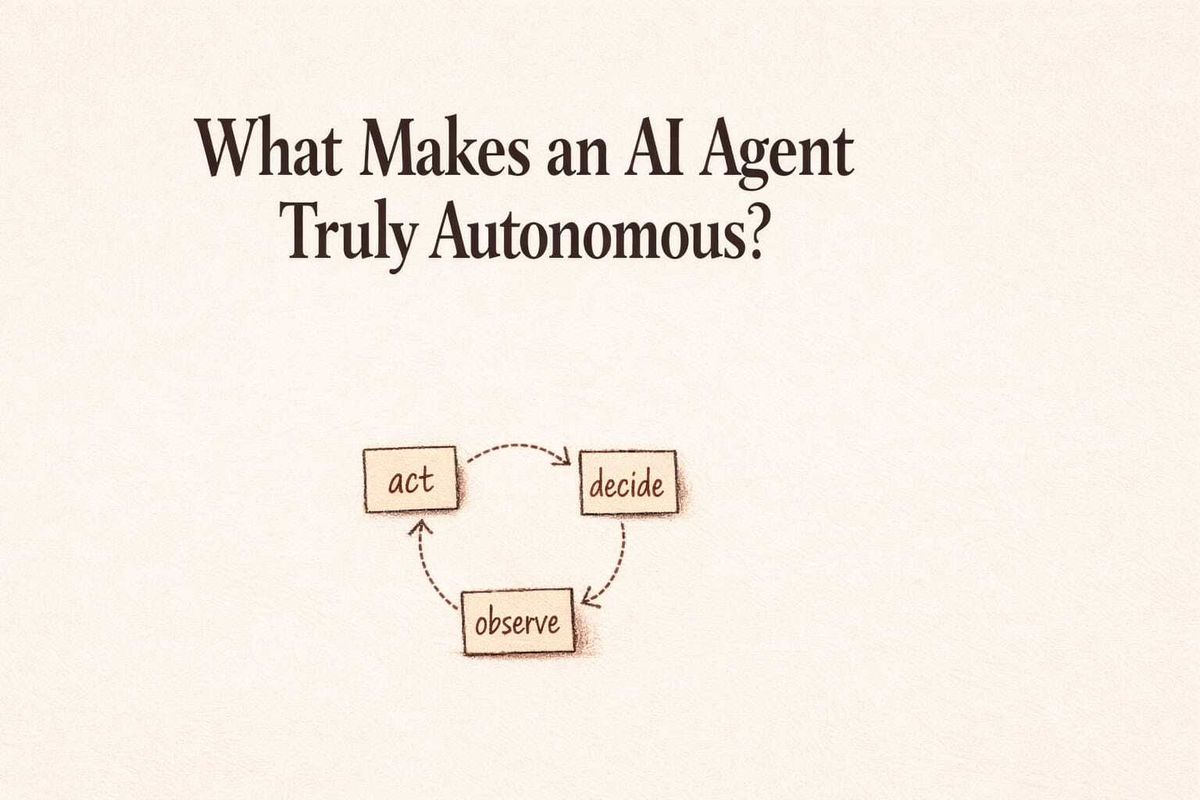
An agent that responds and stops isn't autonomous.
The mechanism that makes the difference is the agentic loop, where the system acts, checks the result, decides what to do next, and acts again until the work is done. That behavior is what separates genuine autonomy from sophisticated automation.
That cycle is what makes autonomy real.
TL;DR
• Agentic loops let AI agents act, check results, and continue without human re-prompting
• Fixed workflows run once and exit; loops keep running until the work is done
• The agentic loop is the mechanism platforms like Pazi use to enable genuine agent autonomy
What "Truly Autonomous" Actually Means
Autonomy is not a personality trait. It is not how confident the responses sound, how many integrations a platform advertises, or how naturally the system handles conversation. Autonomy is a structural property, and it describes what a system does after its first action.
A system is truly autonomous when it can complete a goal without being re-prompted at each step. That requires holding state across actions, evaluating what each action produced, and deciding independently whether the goal is met or more work is needed. Most systems marketed as agents cannot do this; they produce impressive single-step outputs and exit.
Useful, yes. Autonomous, no.
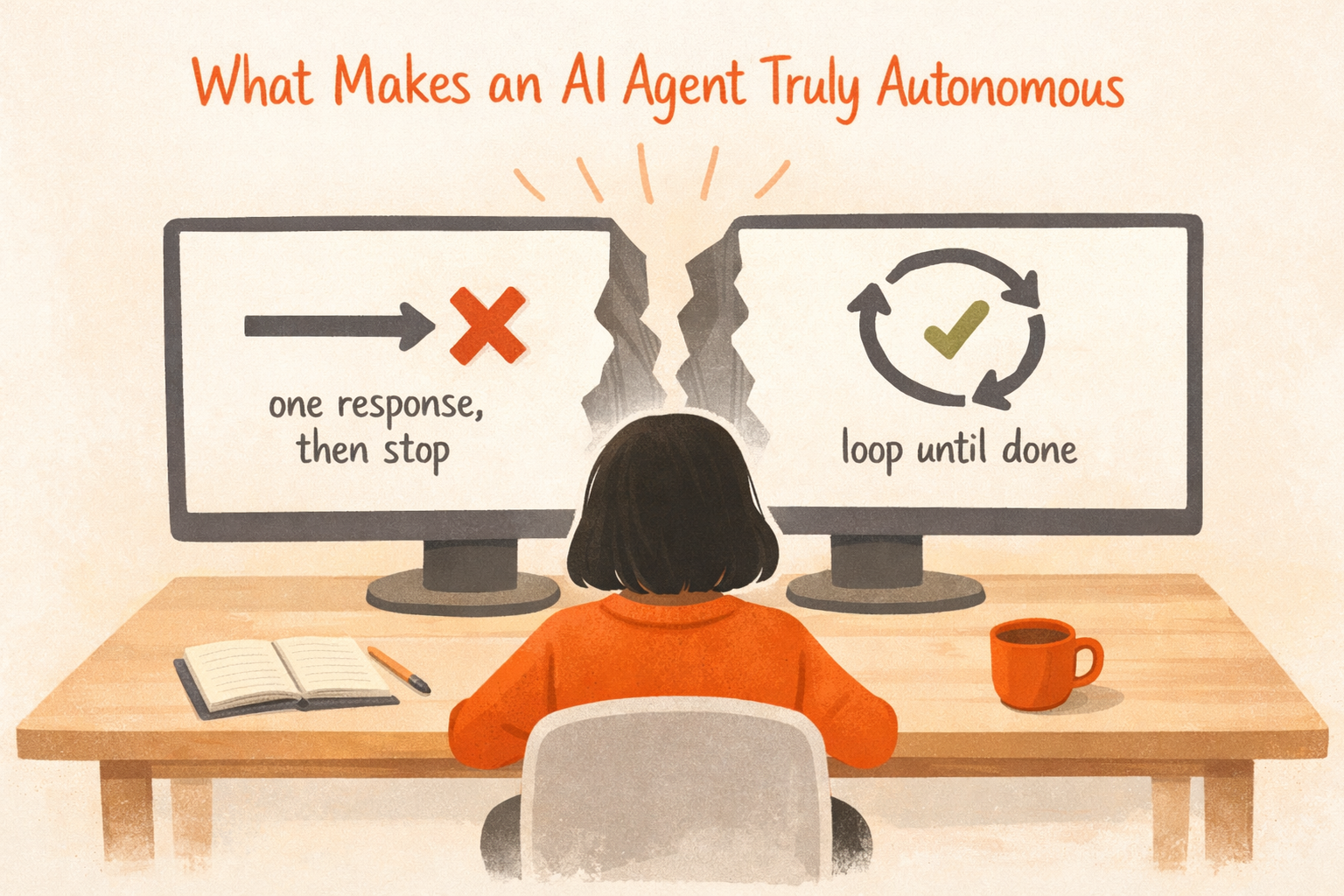
The gap between "impressive output" and "genuinely autonomous" is precisely what the agentic loop closes, and it is an architectural gap rather than a capability gap. Adding more tools to a system that exits after one action does not make it autonomous. It makes it a well-equipped trigger.
How the Agentic Loop Works
The loop is a control structure, not a feature. It is the mechanism that keeps an agent working toward a goal across multiple actions, in sequence, until a stopping condition is reached.
The Five-Step Loop
The OpenAI Agents SDK Running agents documentation defines the agentic loop as five steps that run in sequence:
- Call the model with the current input context
- Inspect the model's output
- If the output contains tool calls, execute them and loop back with the results
- If the output contains a handoff to another agent, switch to that agent and loop back
- If the output contains a final answer with no remaining tool work, stop
As the documentation describes it, the runner keeps looping until it reaches a real stopping point. That stopping point is determined by the model's own output, not by a fixed sequence of steps defined in advance.
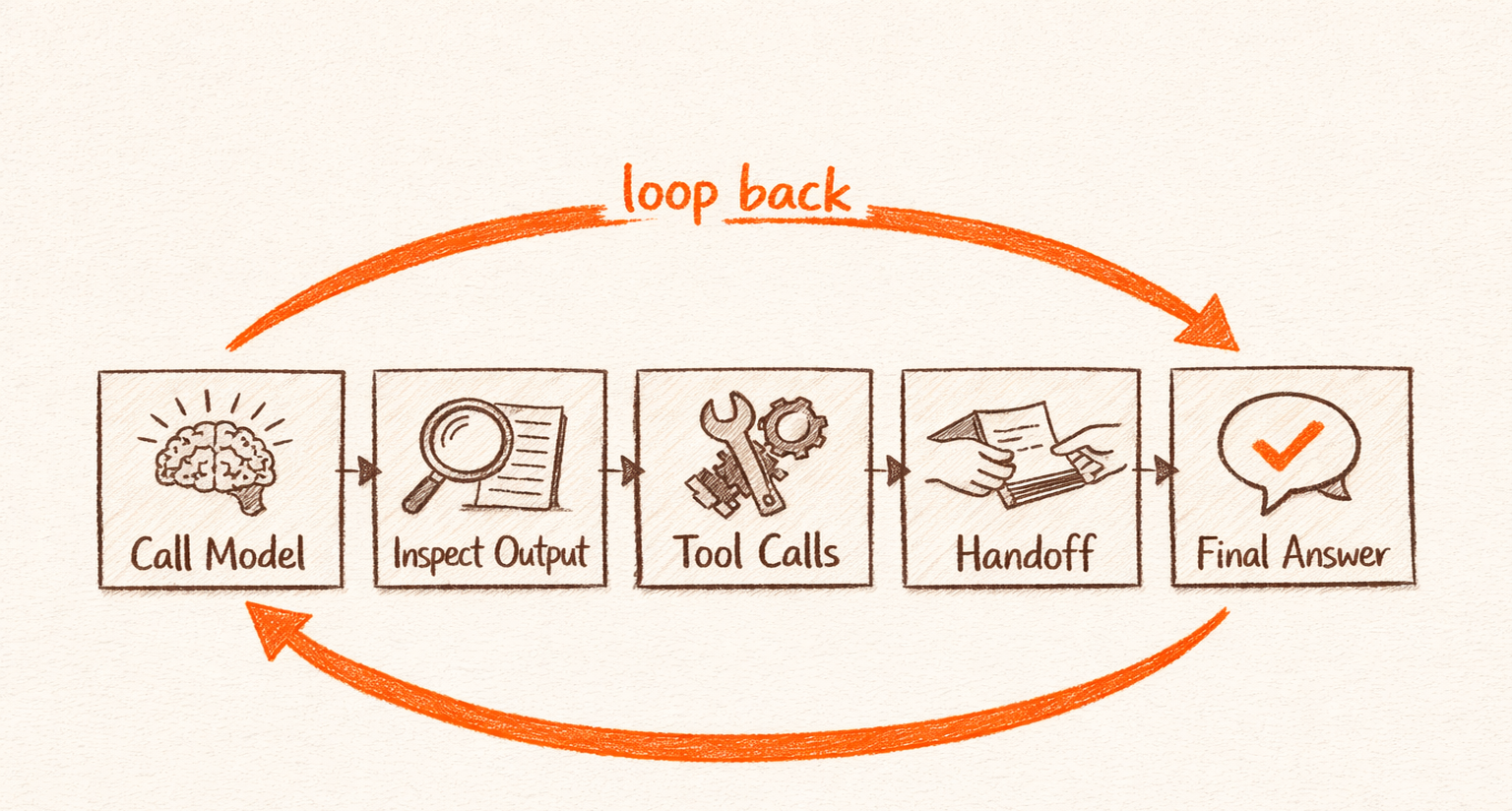
Steps 3 and 4 are where autonomy actually lives; the loop does not terminate after a tool call. It returns the result to the model, which decides what to do next, and runs again. A system without this loop cannot chain decisions across multiple tools and can only execute one tool call per prompt.
Observe, Reason, Act
The foundational academic work on the observe-reason-act cycle in agentic systems is the ReAct framework (Yao et al., 2023, ICLR 2023). The paper demonstrated that LLMs interleaving reasoning traces with actions significantly outperform models that act without reasoning. Agents that observe each action's result before deciding the next step are more capable than agents that plan ahead and execute blindly. That is the core finding.
This is why the loop matters; blind execution of a pre-planned sequence is fragile. The observe-reason step inside the loop is what allows an agent to respond to unexpected results. When a tool call returns an error, when a query returns nothing, when an API delivers data in an unexpected format, the model reads what actually happened before deciding what to do next. That adaptability is the mechanism, not a feature layered on top of it.
Why Fixed Workflows Can't Do This
Fixed automation offers reliable execution, predictable runtime, easy auditability, and low operational cost. For tasks where the right next step is always the same regardless of what the previous step returned, fixed workflows are the right choice.
Anthropic's engineering team provides the canonical architectural distinction in Building Effective Agents. Their framing separates workflows as "LLMs orchestrated through predefined code paths" from agents as "LLMs that dynamically direct their own processes and tool usage." This is the authoritative source for this specific distinction, and it is worth sitting with.
The architectural difference is not about intelligence. A workflow that anticipates everything is highly capable. An agent that can respond to anything it finds is a different kind of capability entirely.
In a workflow, every branch, every exit condition, and every tool call is defined before the workflow runs. When unexpected results arrive, the workflow either fails or routes to an error handler, because no one anticipated what it actually encountered.
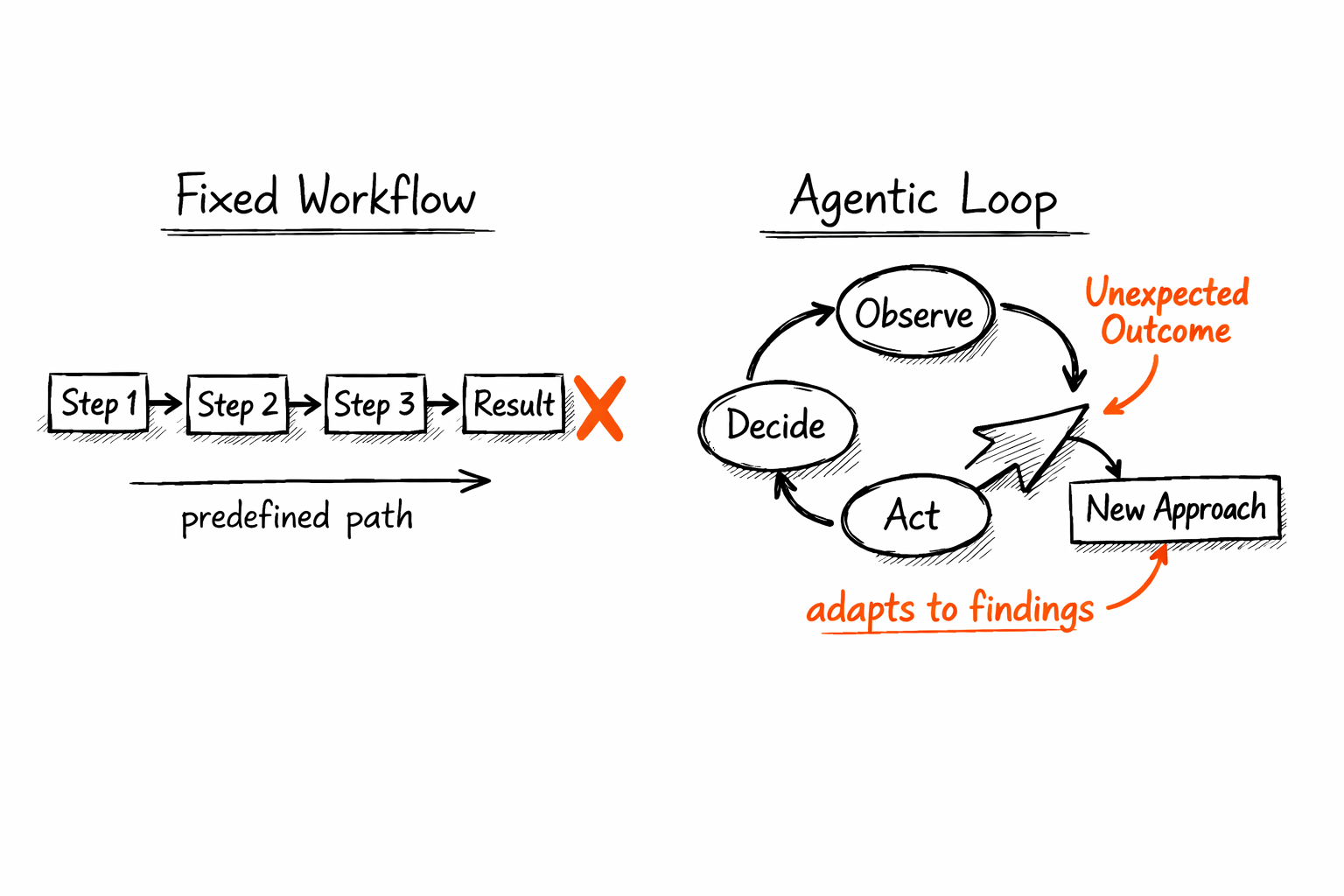
An agent using the agentic loop has no fixed path. The model reads the current context, selects a tool, executes it, reads the result, and decides the next action based on what it found. Every step is a fresh decision grounded in the current state of the task.
This is the difference between AI agents and automation tools in its most precise form. An automation tool completes what was planned; an agent completes what is needed, even when what is needed changes mid-task.
From Semi-Agentic to Fully Autonomous
Not all agentic systems are equally autonomous. The loop exists on a spectrum, and where a system sits determines what tasks it can reliably handle.
At the lower end sits the router, where the LLM reads an input and routes it to one of several pre-defined handlers. The model makes a classification decision, but all possible paths were defined by the programmer before any message arrived. Semi-agentic at best.
In the middle sits the state machine. The LLM decides which state to transition to, and while the transitions themselves are pre-defined, it handles conditional logic reasonably well as long as the conditions were anticipated. More capable than a router, but still bounded by the designer's foresight.
At the upper end sits the fully autonomous agent, where the LLM directs its own tool usage at every step. No pre-defined paths. Stopping conditions are determined by the model's own assessment of whether the goal has been achieved. Unpredictable in execution path, but well-suited for tasks where the right path depends on what the work actually finds.
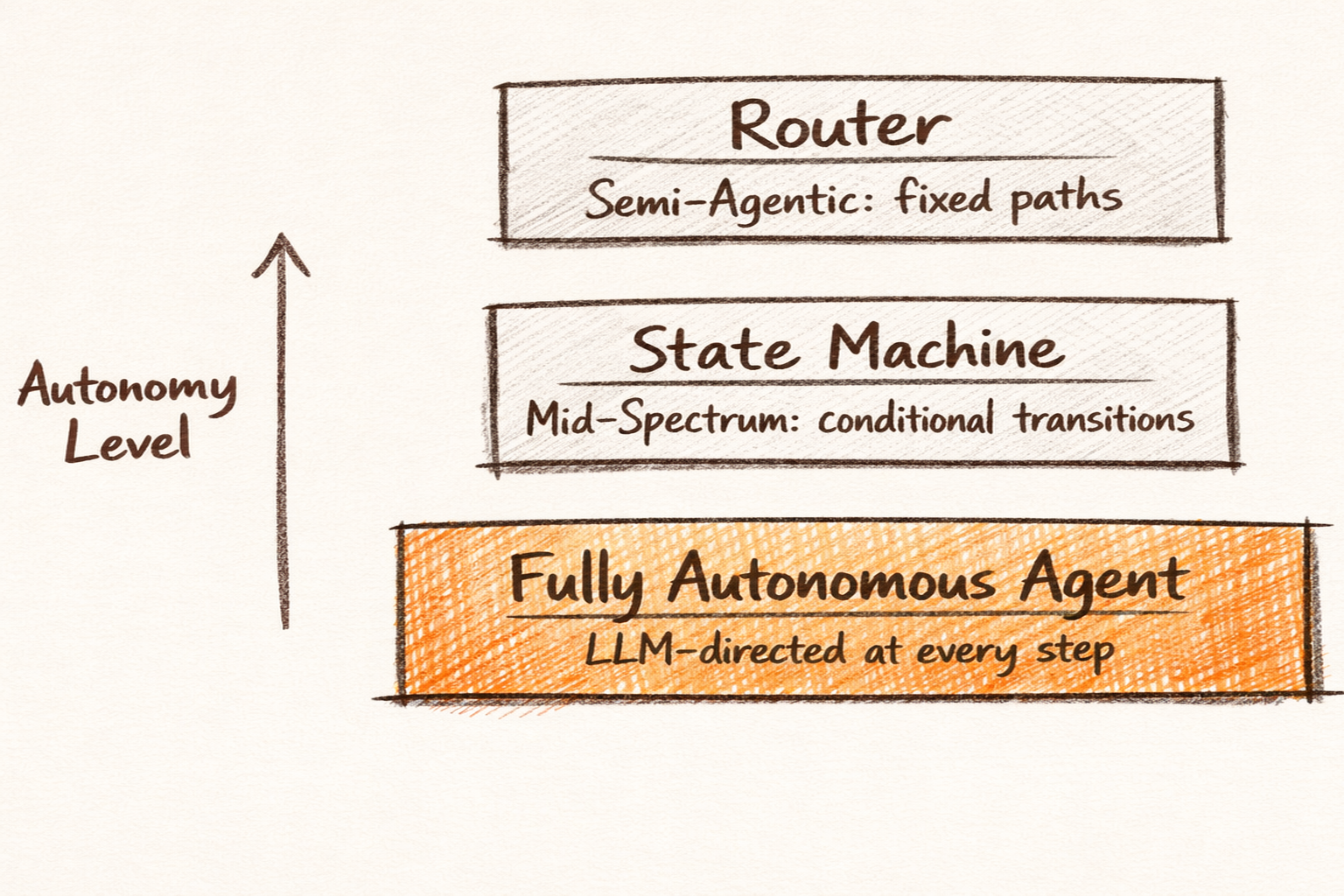
Choosing the right point on this spectrum is as important as choosing whether to use an agent at all. A router is appropriate when all inputs map to known handlers. A fully autonomous loop is appropriate when the task involves navigating states that cannot be defined in advance.
Stateless systems repeat effort; stateful systems build on it.
The Agentic Loop in Practice
The loop is not abstract; it runs in real production environments and produces results a pre-planned workflow could not achieve.
A DevOps Team Responding to Alerts
A DevOps team running on Sentry and Linear shows the difference clearly. Their on-call workflow needs to read each Sentry error, pull relevant logs, and open a Linear ticket if the issue is novel.
A fixed workflow handles this well when the Sentry alert always has the expected structure, the log query always returns results, and "novel issue" maps to a threshold value the programmer chose in advance. The moment any assumption breaks, the workflow fails or drops the event in an error queue.
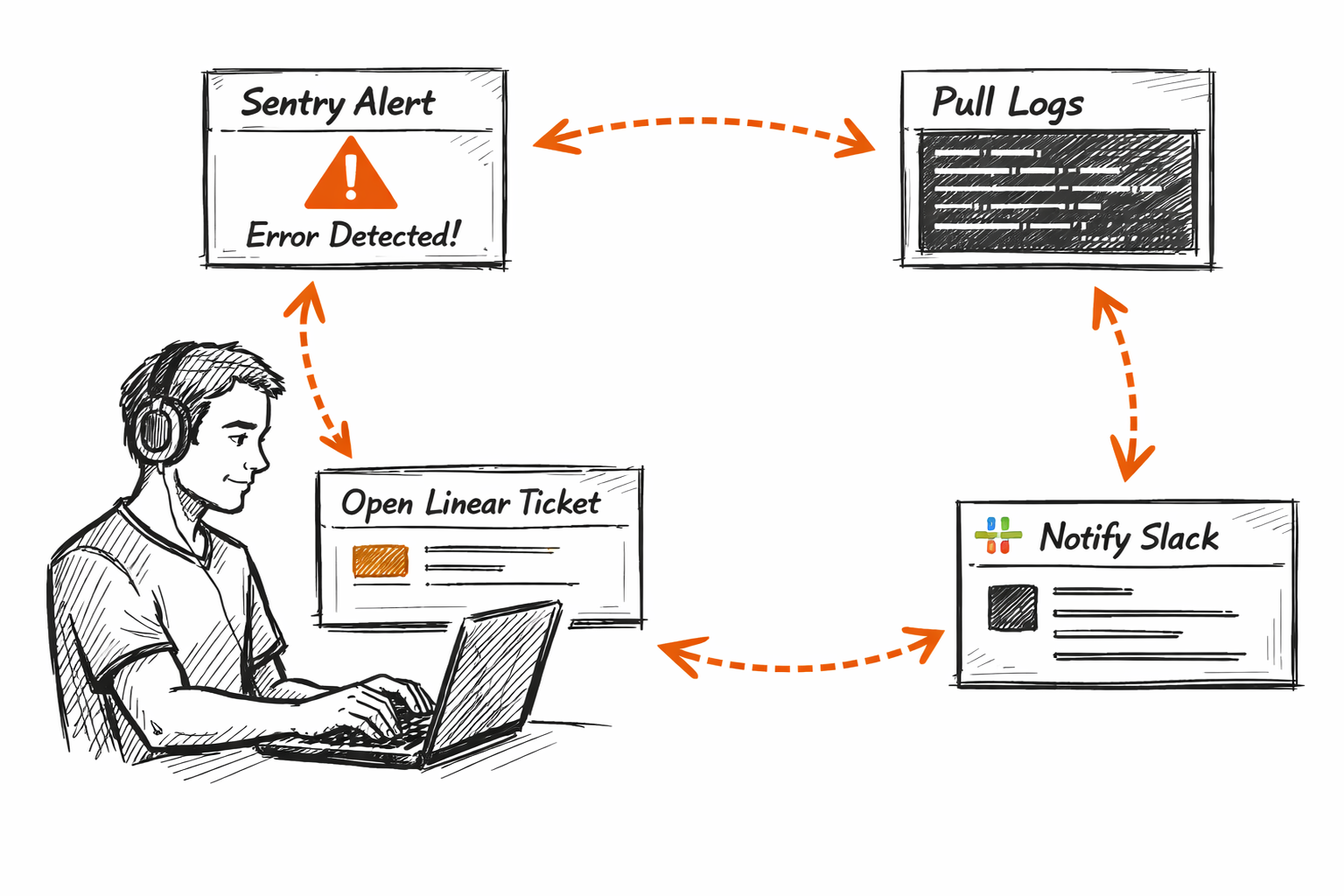
An agent using the agentic loop does not make those assumptions, and the difference shows up quickly in practice. When the Sentry alert has an unexpected field format, the agent adapts the log query. When the first query returns no results, it generates an alternative based on the error context. When the issue matches a known pattern in the codebase, it skips the ticket and notifies the team in Slack instead. Each decision comes from the model reading the actual state of the incident, not from logic a programmer wrote for the expected case.
The loop enables the agent to operate at the boundary between what was expected and what actually happened.
When the Loop Stops
Stopping criteria are as important as the loop itself; an agent that cannot determine when it is done will over-execute or get stuck.
Three stopping conditions appear most often in production agentic systems:
- The model determines it has reached the goal and produces a final answer
- The model hits a hard constraint such as a maximum iteration count, a time limit, or an error state that signals a problem requiring human attention
- The model encounters an ambiguous state that requires human-in-the-loop controls before it can continue
The third case is the most important for operations teams; not every task should run fully autonomously. Some tasks require a human to review an intermediate result before the agent continues, and designing that handoff is part of building a well-functioning loop, not evidence of failure.
If an agent can do everything, it usually can't do anything predictably. Stopping criteria are what make the loop trustworthy.
How to Build an Agentic Loop in Pazi
The agentic loop is the default execution model in Pazi, and the loop itself does not need to be implemented manually. What needs configuration are the tools the agent can call, the context it carries between iterations, and the stopping conditions that end the loop.
Step 1. Define the tools. The agent's tool set determines what actions it can take inside the loop. For an incident response agent, this means a Sentry API tool, a log fetch tool, a Linear issue creation tool, and a Slack notification tool. Each tool gets a description that tells the model when to call it and what the output represents.
Step 2. Configure the context window. The agent carries state across loop iterations. Each tool result passes back to the model as part of the context. At every step, the model reads what was tried, what succeeded, and what failed. That accumulated context is what enables adaptive behavior across multiple iterations.
Step 3. Set stopping conditions. Define what "done" looks like. This can be a condition the model checks explicitly, a maximum iteration count as a safety ceiling, or a handoff condition that routes ambiguous cases to a human before the loop continues. Stopping conditions are set directly in the agent's instructions alongside the tool definitions.
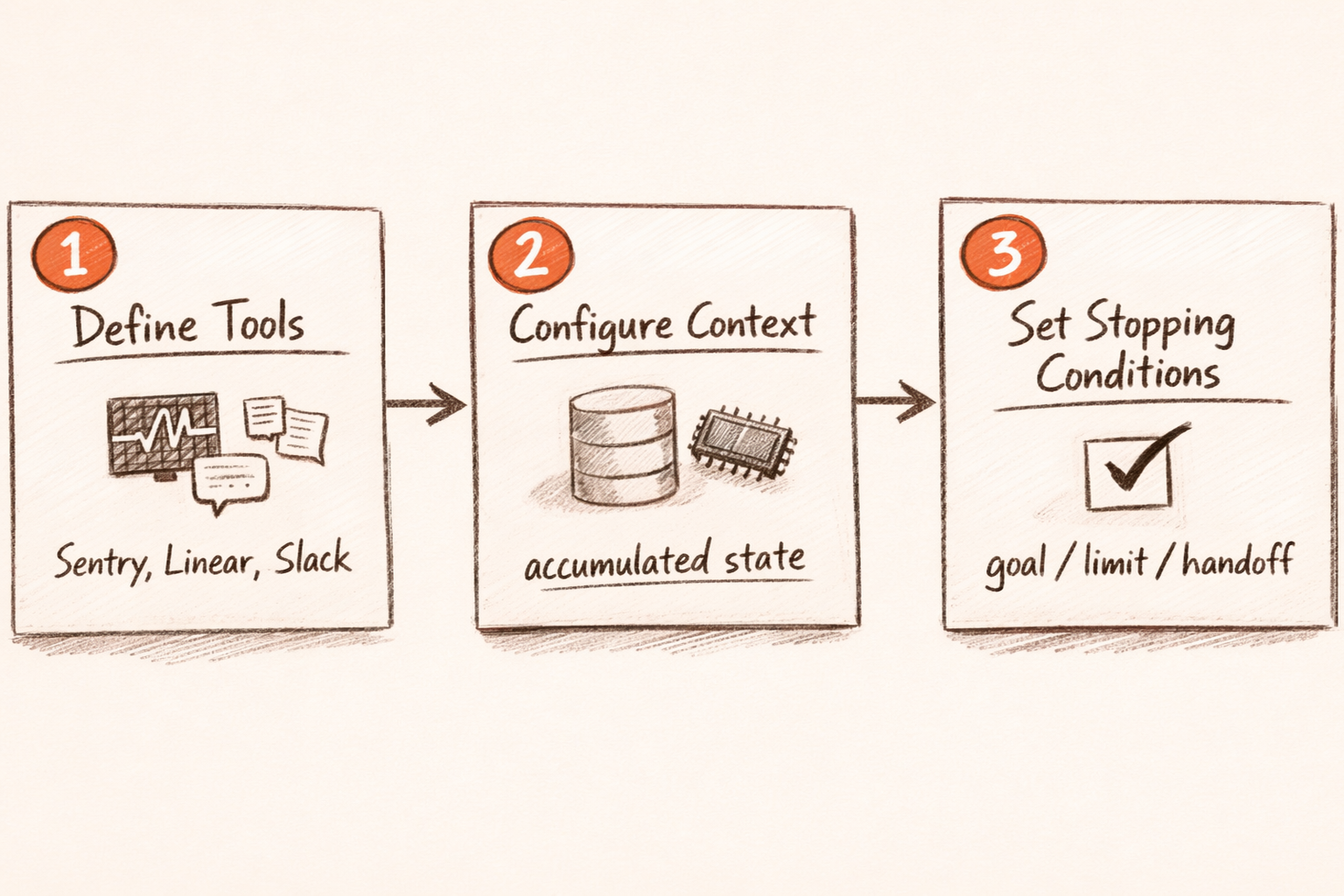
Once configured, the agent acts, observes results, decides next steps, and loops until a stopping condition is reached, without a human re-prompting it at each step.
Where Agentic Loops Work Best, and Which Platform to Build With
Not every task benefits from a fully autonomous loop. The loop adds the most value when the task involves variable paths depending on what is found, the task repeats often enough that manual re-prompting is operationally expensive, and the task has a clear success condition the model can evaluate.
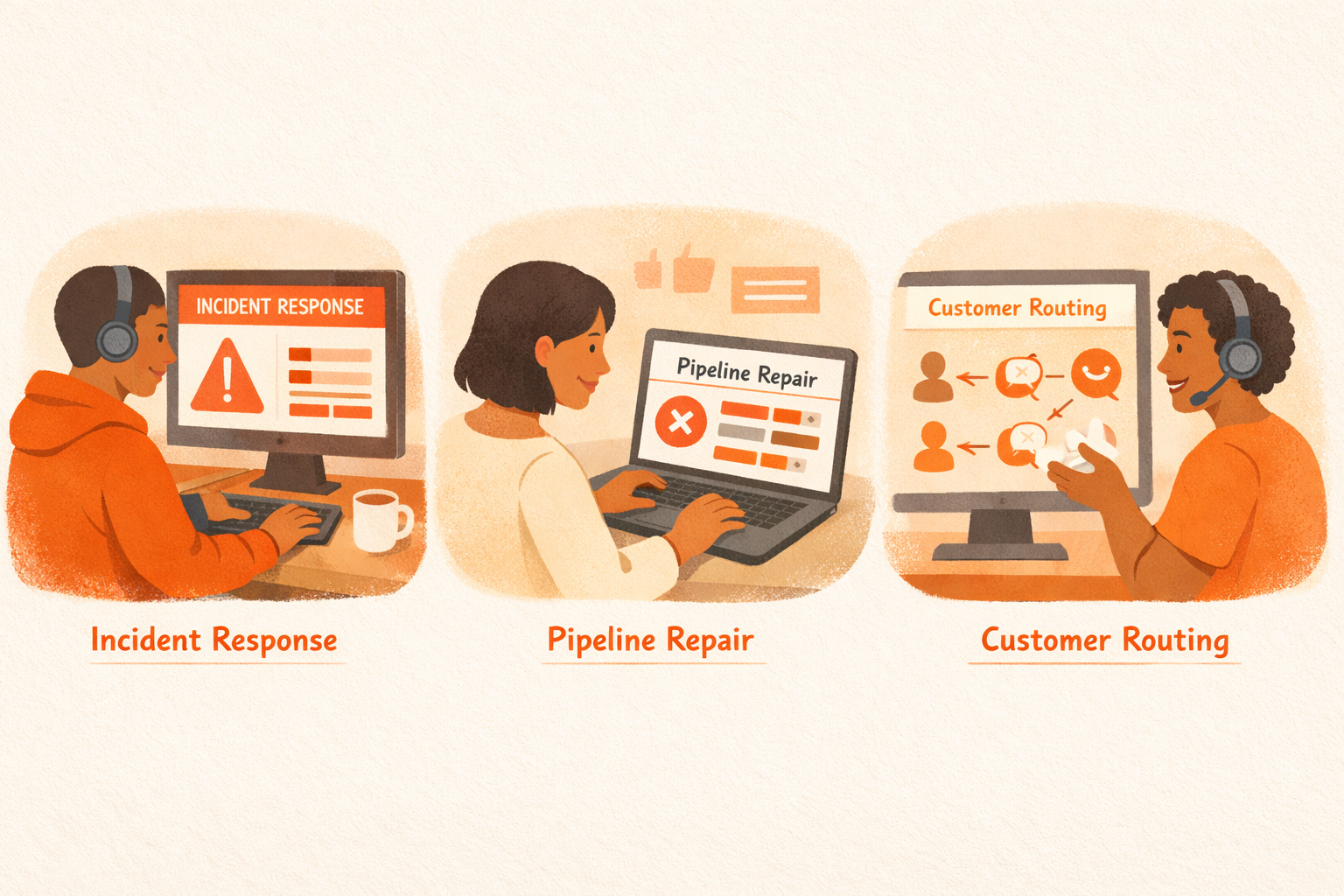
For operations teams, the strongest use cases cluster in three areas. The first is incident investigation and triage, where the right action depends on what the error trace shows. The second is pipeline repair, where a build failure requires reading GitHub logs, identifying the failing test, and deciding whether to fix or escalate to the engineering team in Slack. The third is customer escalation routing, where an incoming issue needs to be read, classified, enriched with account context from Intercom, and routed based on what was found.
These tasks share one defining property. The right next step is unknown until the previous step completes and its result has been read. That is the defining condition for a task that belongs in a loop.
For AI agent workflows for operations teams, the pattern is consistent. Tasks with fixed happy paths belong in automation; tasks where what you find changes what you do next belong in the loop.
Teams that try to apply the agentic loop to every task tend to over-engineer the simple ones. The loop is not a universal improvement; it is the right tool for tasks that are genuinely adaptive.
For teams ready to build, Pazi implements the agentic loop natively within the channels and tools your team already uses, without requiring a separate orchestration layer.
Agentic Loop vs Fixed Workflow: Key Differences
| Dimension | Agentic Loop | Fixed Workflow |
|---|---|---|
| Decision control | LLM decides next action from current context at each iteration | Programmer defines all branches and exits before run time |
| Loop behavior | Loops until stopping condition is reached | Runs once through a pre-defined sequence and exits |
| Tool use | LLM-directed, selected dynamically at each iteration | Deterministic, called in a fixed pre-programmed order |
| Stopping criteria | Determined by model's assessment of goal completion | Fixed exit condition or step count defined in advance |
| Handling unexpected results | Adapts based on actual results; generates alternatives when needed | Fails or routes to error handler if result doesn't match expected shape |
| Autonomy level | High (agent directs own execution path end-to-end) | Low (execution path fully pre-determined) |
Related Reading
- The Difference Between AI Agents and Automation Tools
- Human-in-the-Loop AI Automation
- AI Agent Workflows for Operations Teams
- Enterprise AI Agent Platform Evaluation Guide
Pazi is a platform for building agentic loops that live where your team already works. For operations teams that need agents to investigate, decide, and act across tools like Sentry, Linear, GitHub, and Slack without human re-prompting at each step, Pazi handles the loop infrastructure. Start building with Pazi or read more about getting started with AI agents to understand what the build path looks like.



