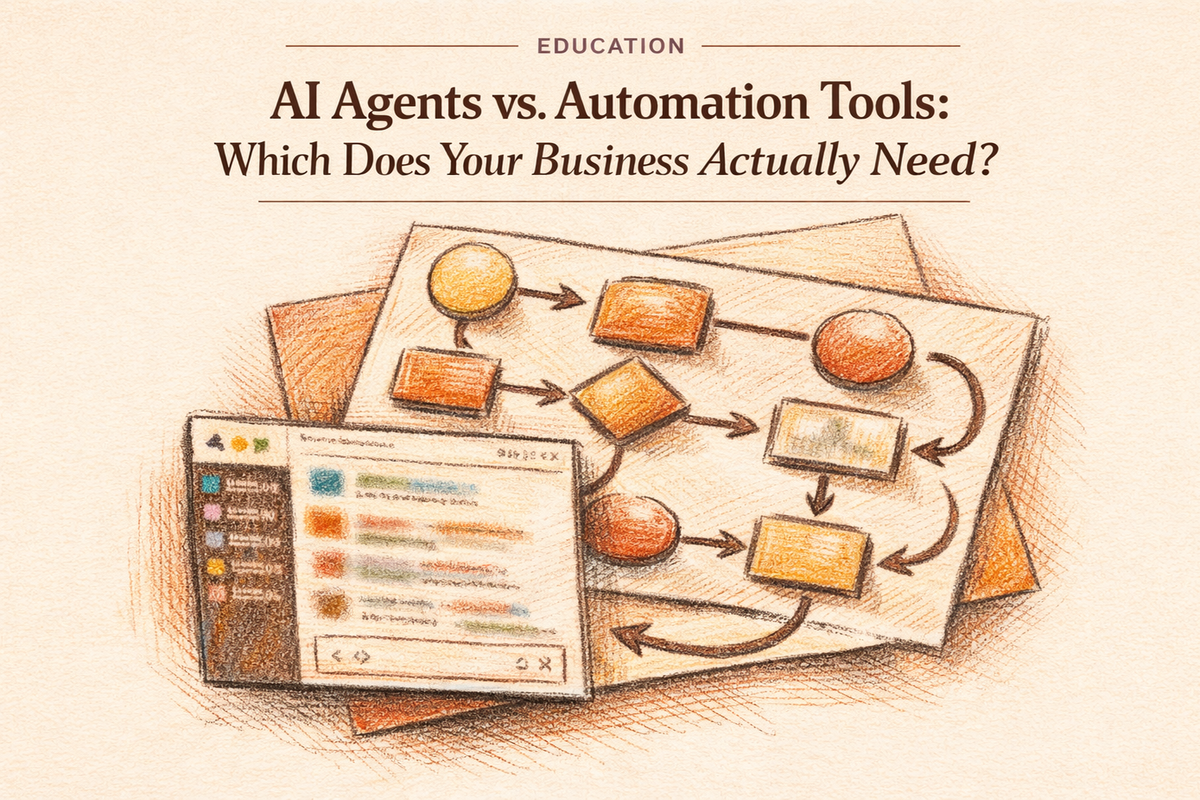
Automation tools and agentic tools are not competing answers to the same problem. They handle categorically different types of work, which means the question is not which one to pick: it is understanding where each one stops and what happens to the work that falls outside its range.
Most businesses using Zapier, Make, or n8n that add AI agents keep their automation layer running exactly as it is. The agent layer sits above it and handles the work the automation cannot, not because automation failed, but because that work requires judgment to complete.
Table of Contents
- Automation tools work exactly as designed. That's the problem.
- What changes when a tool can decide, not just execute
- Five signals your workflows are hitting the ceiling
- The hybrid stack: where automation ends and agents begin
- Matching work type to tool type: the decision framework
- Measuring whether the right tool is in the right role
Automation tools work exactly as designed. That's the problem.
Automation tools execute predefined sequences reliably. Zapier, Make, and n8n are good at exactly what they were designed to do: run fixed workflows when specific conditions are met. The ceiling you eventually hit with them is not a bug. It is the design.
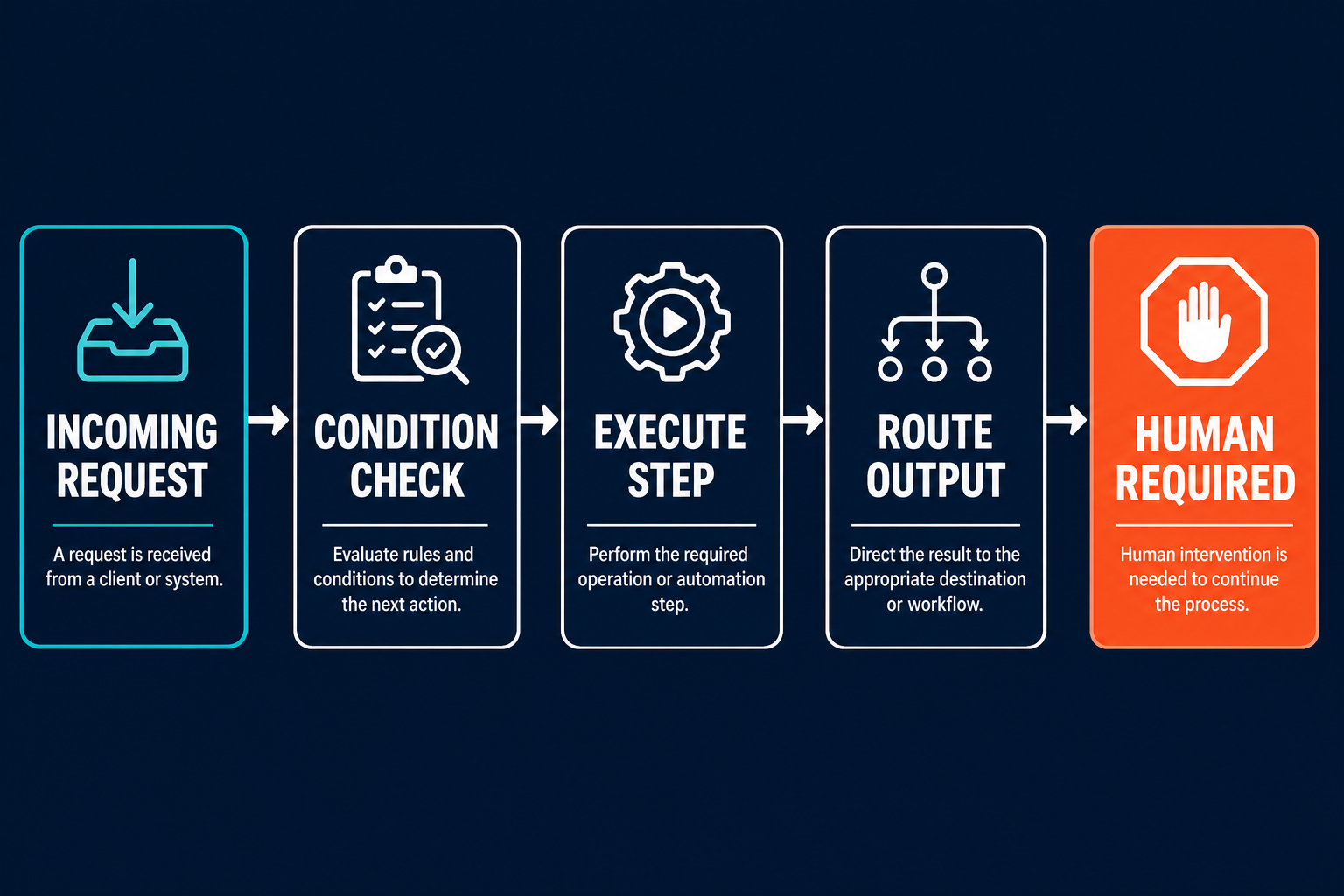
Automation tools genuinely excel at a specific category of work: data transfer between systems, scheduled reports, form-to-action pipelines, notification routing, and simple conditional logic. If a new lead fills out a form, Zapier can create the CRM entry, send a welcome email, and add them to a sequence. It does this at scale, reliably, without fail, and for this category of structured, predictable work, it is the right tool.
The ceiling appears the moment the work requires something the script did not anticipate. Automation tools operate on predefined code paths. As Anthropic's engineering team put it in their guide to building effective agents: "Workflows are systems where LLMs and tools are orchestrated through predefined code paths." The flow either matches a condition or it does not. When the input does not match, the automation stops, errors, or routes to a human fallback.
"Workflows are systems where LLMs and tools are orchestrated through predefined code paths."
Anthropic, Building Effective Agents
The ceiling is structural, not technical. Adding more steps to the workflow does not solve the problem, and neither does adding more branches or conditions. If the work requires judgment to complete, it does not belong in an automation workflow. The workflow's job is to execute, not to decide.
The specific signal that tells you you have hit this ceiling: your automation ran correctly, a notification was sent, a record was created, a step was completed, and a human still had to look at the output and decide what to do next. The automation finished its job. The work was not done.
What changes when a tool can decide, not just execute
Agentic tools are built on a categorically different architecture. Where automation tools execute predefined paths, agents use language models that dynamically direct their own processes and tool usage. The difference is not sophistication or power. It is whether the tool needs to make decisions to complete the work.
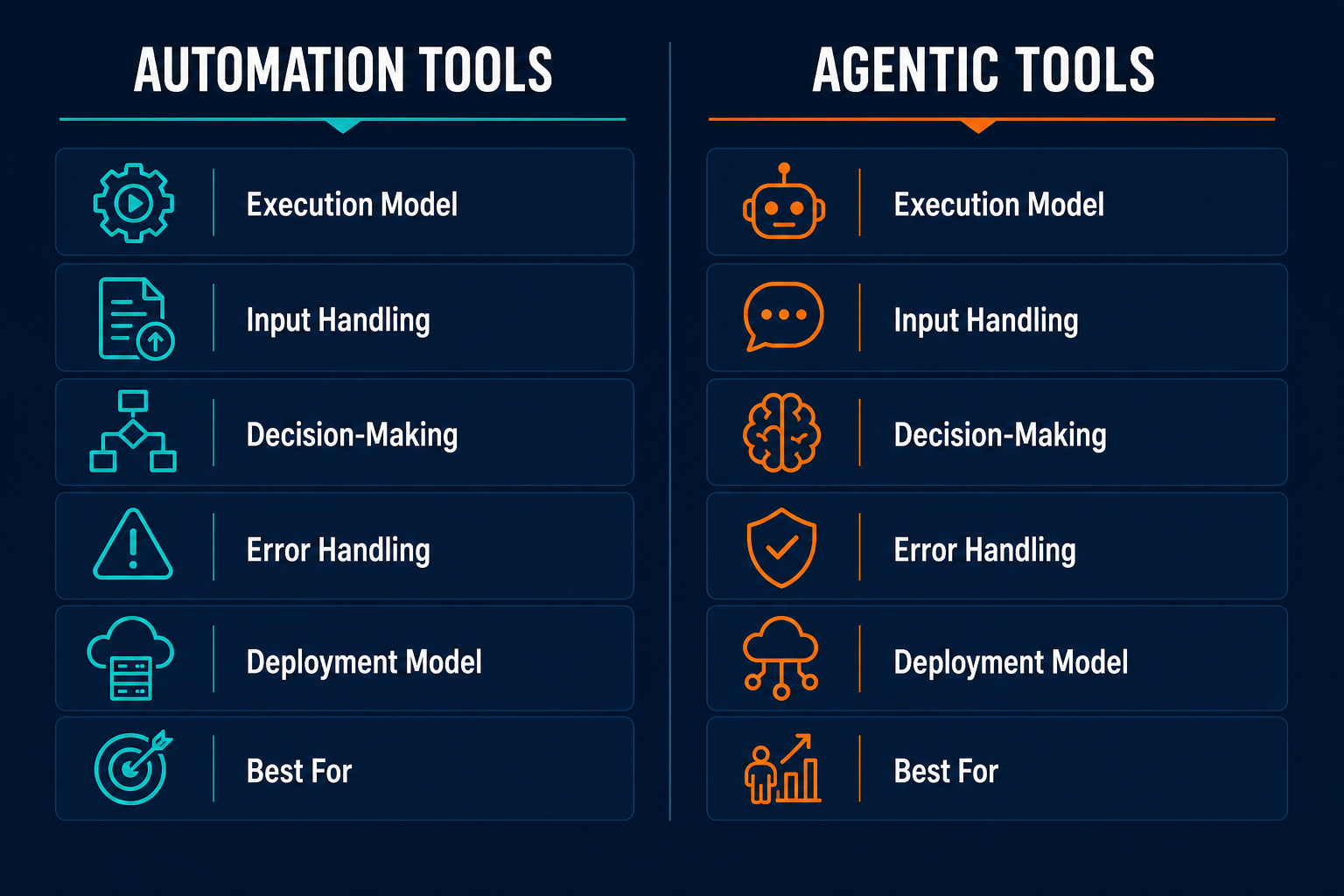
Anthropic's architecture guide draws the distinction cleanly: "Agents are systems where LLMs dynamically direct their own processes and tool usage, maintaining control over how they accomplish tasks." The agent reads a goal, determines what it needs to do, uses tools, evaluates the result, and continues until the task is done. It is not following a script. It is working toward an outcome.
IBM Think captures what this means in practice: "Unlike traditional AI models, which operate within predefined constraints and require human intervention, agentic AI exhibits autonomy, goal-driven behavior and adaptability. Agents can search the web, call APIs and query databases, then use this information to make decisions and take actions." The agent can handle inputs that were not anticipated when it was set up, because it reasons about what the input means rather than pattern-matching against a ruleset.
"Unlike traditional AI models, which operate within predefined constraints and require human intervention, agentic AI exhibits autonomy, goal-driven behavior and adaptability."
IBM Think, Agentic AI
OpenAI's framing gets at the practical shift: their agents are "AIs capable of doing work for you independently. You give them a task and they execute it." That shift, from giving a tool a script to giving a tool a job, captures the categorical difference better than any technical definition.
The properties that follow from this architecture: goal-driven (not step-driven), adaptive (handles inputs that were not anticipated), tool-calling (determines which action to take and when). And the distinction that trips most teams up: an AI-powered automation is not an agent. A GPT step inside a Zapier flow is a node in a predefined path, which means the flow is still an automation workflow: the AI feature executes a task within the script, it does not direct it.
| Property | Automation tools | Agentic tools |
|---|---|---|
| Execution model | Predefined code paths | Dynamic, model-driven |
| Input handling | Structured, anticipated | Structured or ambiguous |
| Decision-making | Conditional only | Evaluates and decides |
| Error handling | Stops or routes to fallback | Can self-correct or escalate |
| Deployment model | Build the script, maintain the script | Build the agent, train on feedback |
| Best for | High-volume, predictable work | Variable, judgment-required work |
Five signals your workflows are hitting the ceiling
The distinction above is theoretical. These signals are operational. If you recognize two or more of them in your business, you have judgment-required work that automation tools cannot carry.
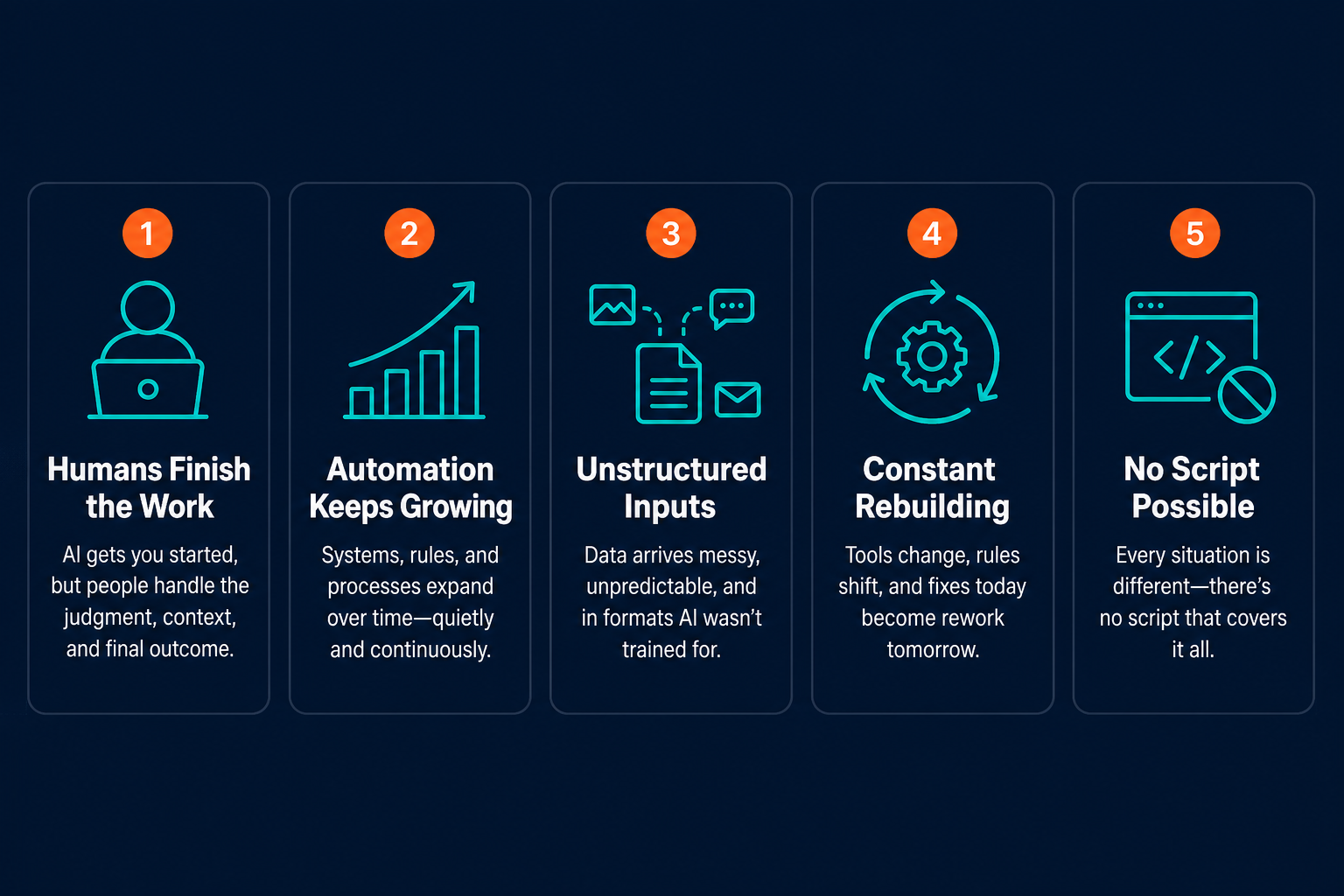
Signal 1: Humans regularly finish what your automation started.
The workflow ran correctly, yet a human still had to interpret the output and manually decide what to do next: the automation notified, and the human made the call. This is the most common ceiling signal and the easiest to miss because the automation is working. The symptom: your Zapier zaps or Make scenarios end with a notification or record that someone opens, reads, and then acts on manually every time. The automation reduced data entry. It did not reduce judgment.
Signal 2: Your automation logic has grown to 20 or more steps and still misses 20 to 30 percent of cases.
Every exception required a new branch. The script grew to cover more edge cases and the exception rate barely moved. You know exactly which cases will break the flow this week because you have seen them before. This is the compounding cost of scripting work that requires interpretation: you can add rules indefinitely and the coverage ceiling stays in the same place.
Signal 3: The highest-leverage work you need automated involves reading unstructured inputs.
Emails, support tickets, Slack messages, deal notes, contracts: anything that is not a structured form submission. This work cannot be automated with a predefined workflow because the relevant information is embedded in natural language that varies with every instance. The symptom: you have tried to automate this category of work and stopped, or you require extensive human preprocessing before the automation can run.
Signal 4: You are rebuilding the same automation every time a tool or process changes.
Automation scripts are brittle to upstream changes. When a field renames, an API changes, or a process shifts, the script breaks and someone rebuilds it. The symptom: you have rebuilt the same workflow three or more times in eighteen months, not to add capabilities but just to keep it running.
Signal 5: You cannot write a script for the work because you do not know the steps until you are doing it.
This is the clearest signal. If the sequence of actions varies depending on what you find when you start the task, no automation tool can handle it. You cannot script a decision tree for work that requires reading a situation and determining the response. The symptom: you have tried to document this process and the documentation has more exceptions than rules.
DevOps example. On-call runbooks illustrate signals 1 and 5 cleanly. Automation handles known alert patterns well: a specific error code triggers a specific runbook sequence reliably. Signal 1 appears when a novel incident fires. The automation sends the page. The SRE joins the call, reads five dashboards, and makes a judgment call about root cause and remediation. The automation did its job. The investigation was still entirely human. Signal 5 appears when the incident type is new enough that no runbook covers it. The response has to be built on the fly, step by step, based on what each step reveals. For a deeper look at how this plays out in production incident response workflows, see How to Automate Incident Response with AI Agents.
"The question is not whether automation can do more. It is whether the work itself requires judgment to complete."
The hybrid stack: where automation ends and agents begin
For most businesses, the answer is not to replace their automation layer with agents. It is to add an agent layer above the automation layer that already works.
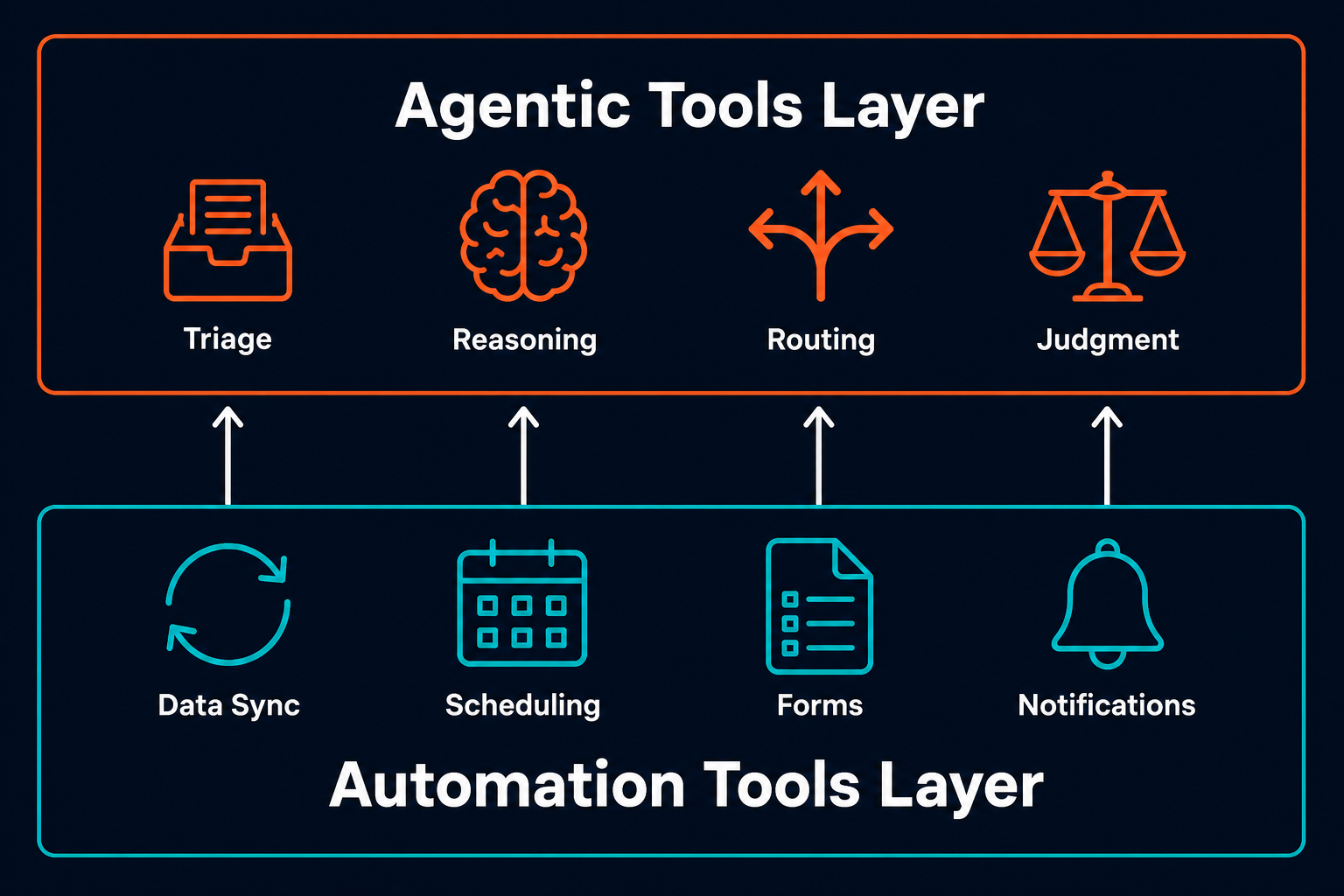
This is the hybrid stack pattern. Automation handles the structured, high-volume, predictable work it was built for: data sync, scheduled reports, form-to-action pipelines, notification routing. An agent layer sits above it and handles the work that requires judgment before the structured execution can happen: triage, context reading, routing decisions, interpreting ambiguous inputs and determining what the right next step is.
The two layers are complementary. Agents can call automation workflows as tools. When an agent makes a routing decision, it can trigger the appropriate downstream Zapier flow for the structured execution. The agent decides; the automation executes. Neither layer is redundant.
The failure mode this replaces is the 30-step automation workflow that still misses 25 percent of cases. Teams build that workflow because they are trying to script judgment. Every new exception adds a branch. The coverage ceiling stays in place because the problem is not the complexity of the script: it is that the work requires interpretation at a step where the automation has no way to interpret. That is an agent problem being solved with scripting.
A concrete example of how the two layers interact: a Pazi agent receives messages in Slack, reads the context, interprets the unstructured input, and makes a routing decision. It then triggers the appropriate downstream automation workflow for the structured execution layer: creating a CRM record, sending a notification, updating a ticket. The Zapier flow runs the execution. The agent runs the judgment. Each tool is doing the work it was built for.
For a guide to designing oversight at the agent layer, which becomes relevant once you have agents making routing decisions at scale, see Human-in-the-Loop AI Automation: Designing Oversight Without Killing Throughput.
Matching work type to tool type: the decision framework
The decision is reducible to one diagnostic question: does completing this work require interpretation of ambiguous input, or judgment that cannot be scripted in advance?
Yes: agent layer. No: automation layer, or possibly no tool at all.
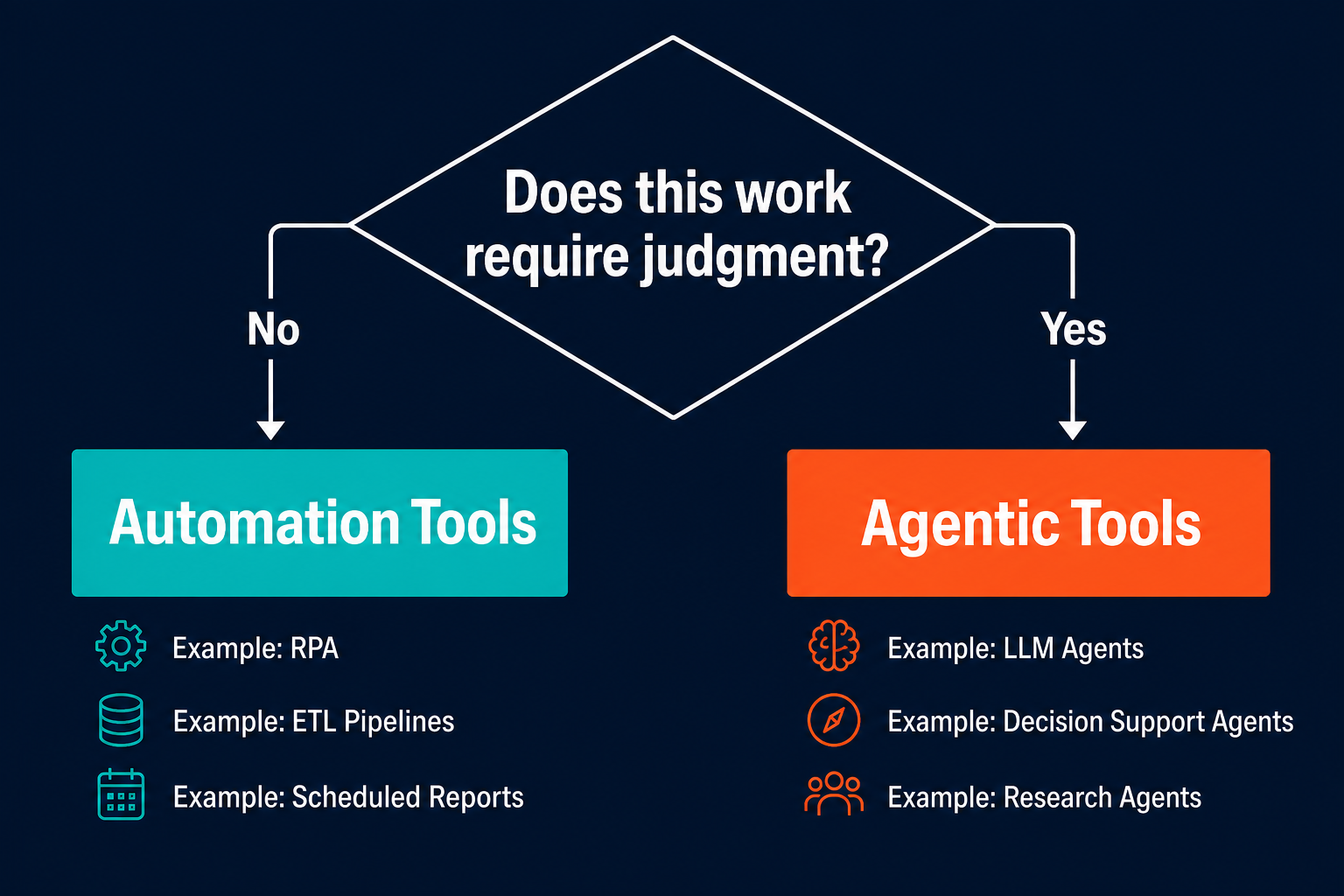
That question covers the full range of work types. Data sync between systems does not require judgment: it requires reliable execution of a known operation. A scheduled reporting workflow does not require judgment: it requires running the same query on a schedule and sending the result. Those belong in the automation layer.
Support email classification and routing requires judgment: the agent reads the email, determines the category and urgency, and routes to the right team or triggers the right response. Account manager follow-up drafts require judgment: the agent reads the account history, the last interaction, and the context of what happened, and drafts a message appropriate to that specific account. Those belong in the agent layer.
| Work type | Example | Automation | Agent |
|---|---|---|---|
| Data sync between systems | CRM to database sync | Yes | No |
| Scheduled reporting | Weekly metrics email | Yes | No |
| Form-to-action pipeline | New lead to CRM + notification | Yes | No |
| Unstructured input triage | Support email classification + routing | No | Yes |
| Context-aware drafts | Account manager follow-up messages | No | Yes |
| Multi-tool workflows with variable paths | Novel incident response | No | Yes |
| Structured execution within an agent workflow | Send confirmation email after agent decision | Yes (as tool) | Orchestrates |
The framework is not about sophistication. A data sync workflow is not unsophisticated, it is just structured. An email triage agent is not complex, it is judgment-required. The variable is whether the output depends on a decision that varies with context.
One important edge case: "AI-powered automation" is still automation. A GPT step inside a Zapier flow processes text at a node in a predefined path. The flow is still sequential and scripted. The AI feature is executing a task within the workflow, not directing the workflow. Labeling it agentic does not change what it can handle.
For a real-world example of how this plays out in account management, where the judgment layer is thick and the automation layer handles only the execution, see How to Automate Account Management with AI Agents. Once you have decided to add agents to your stack, the next architectural question, whether to build one general-purpose agent or a set of specialists, is covered in Specialist vs. Generalist Agents: When One Isn't Enough.
"Workflows offer predictability and consistency for well-defined tasks, whereas agents are the better option when flexibility and model-driven decision-making are needed at scale."
Anthropic, Building Effective Agents
Measuring whether the right tool is in the right role
You know the stack split is working when human-in-the-loop touches per completed work unit go down. If humans are still regularly stepping in to finish what the tools started, the split is wrong: either work that belongs in the agent layer is still in automation, or the agent layer is not covering the judgment-required work it should own.
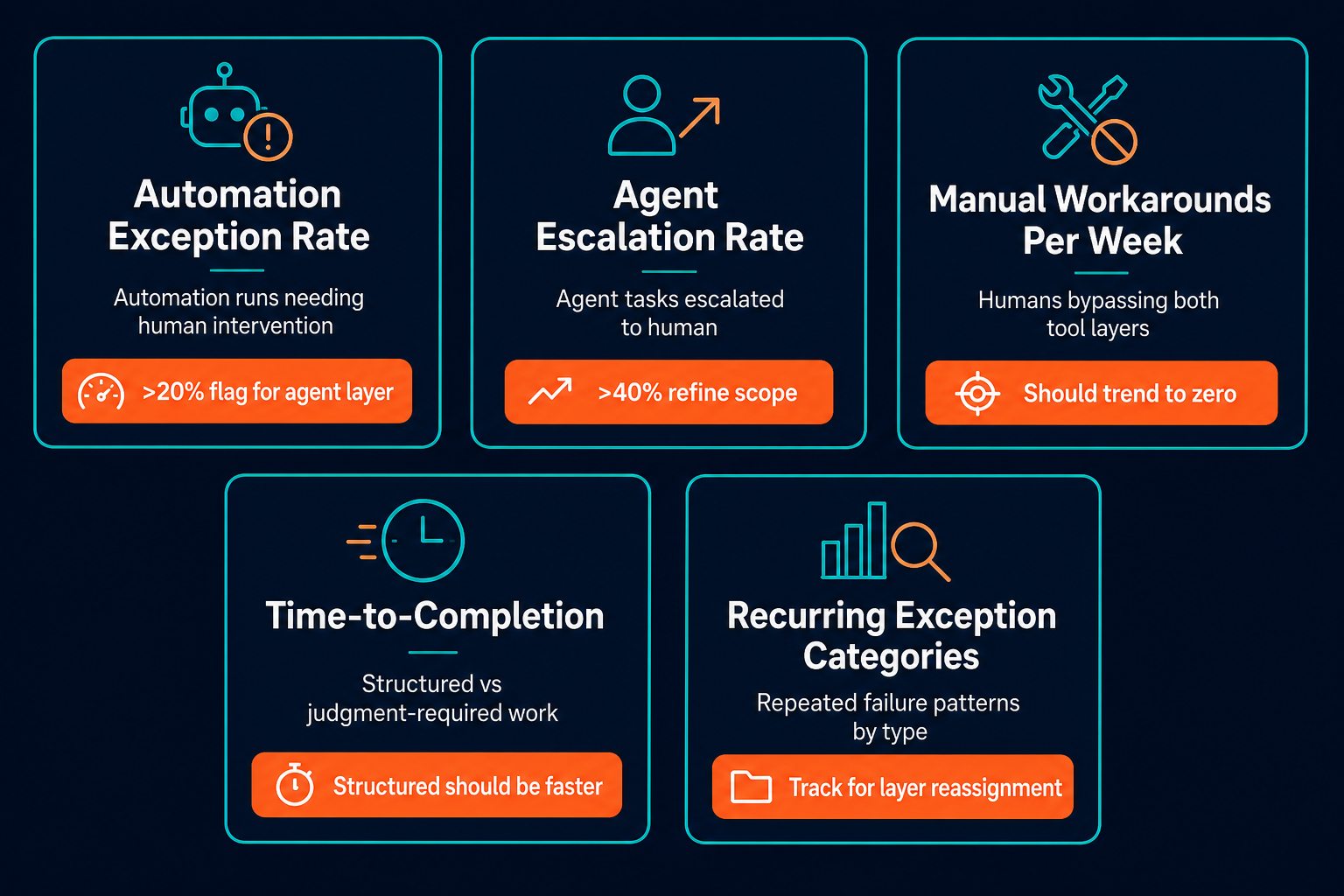
Five specific metrics tell you whether the split is calibrated correctly.
Automation exception rate. The percentage of automation runs that require human intervention to complete. If this exceeds 20 percent on a given workflow, that workflow contains judgment-required work that belongs in the agent layer. High exception rates are not a sign of complexity: they are a sign of misplacement.
Agent escalation rate. The percentage of agent tasks escalated to a human. If this exceeds 40 percent, the agent's scope may be too broad, or the agent needs more context about the work to make better decisions. An escalation rate that high means the agent is regularly encountering situations it was not adequately prepared for.
Manual workarounds per week. A count of instances where a human bypasses both layers and does the work directly. These are gaps: work that neither the automation layer nor the agent layer is handling. If this number is not zero, you have uncovered automation or uncovered judgment-required work. Both are tool-placement problems.
Time-to-completion by work type. Measure structured work and judgment-required work separately. Structured work should be significantly faster with the automation layer than without it. If judgment-required work is still slow, the agent layer is not covering it effectively. Track these categories separately from day one so you have a baseline.
Recurring exception categories. Track the categories of exceptions that repeat. Recurring exceptions in automation workflows are candidates for the agent layer: the exception is recurring because the work requires a judgment the automation cannot make. Recurring escalations from the agent layer that follow a pattern are candidates for scope refinement: the agent is being asked to handle work it does not have enough context or capability to own.
The goal is not to minimize human involvement overall. It is to make sure human judgment is applied only where it genuinely adds value, not as a fallback for work the tools should own. When the metrics trend in the right direction, the tools are in the right roles.
Related reading
- Human-in-the-Loop AI Automation: Designing Oversight Without Killing Throughput
- Specialist vs. Generalist Agents: When One Isn't Enough
- How to Automate Incident Response with AI Agents
- AI Agent Best Practices: 7 Rules from Running Them at Pazi
Pazi is a platform that lets you build your decision-routing agent on top of the automation stack you already run, and it lives where your team works, in Slack, Discord, or wherever your business operates. For operators who have hit the automation ceiling on judgment-required work, Pazi is the agent layer that closes the gap. Get started at pazi.ai.