

Cron job delivery in OpenClaw breaks silently when you connect a second messaging platform. Your agents keep running and the gateway marks every task as completed. But nothing arrives, because the routing layer can no longer infer where to send output.
Why this happens
Cron jobs execute in isolated sessions with no inherited context from your main workspace. When only one messaging platform exists, the gateway resolves both the service and the destination automatically. That inference is what breaks.
Two failures show up once you wire up another platform.
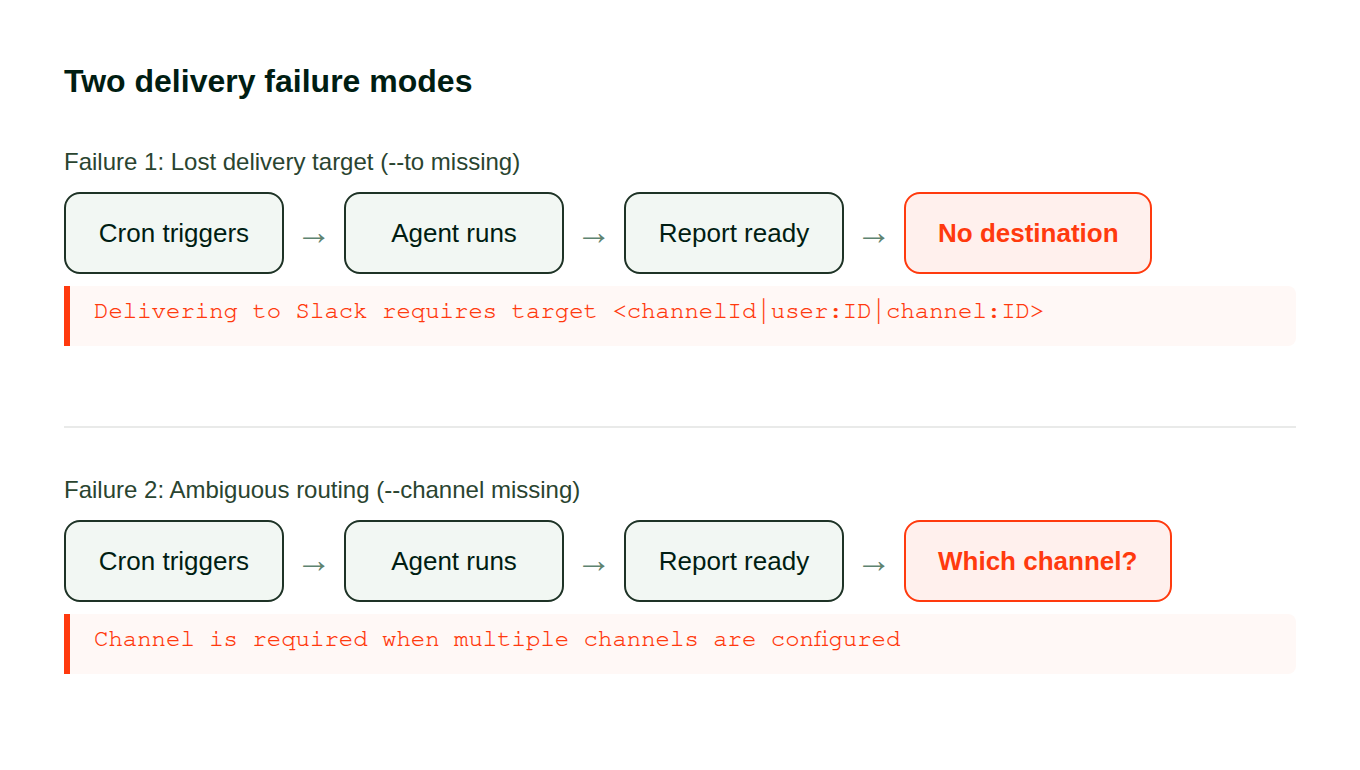
Lost targets. Modifying your gateway configuration can strip the --to parameter from individual entries. The agent finishes its work, attempts the handoff, and hits a dead end:
Delivering requires target <channelId|user:ID|channel:ID>Ambiguous routing. A task with --to set but no --channel flag resolves fine on one platform. Add a second and the gateway cannot pick between them:
Channel is required when multiple channels are configuredNeither error surfaces in the destination that stopped receiving. You find them buried in gateway logs.
Both look the same from the outside:
The fix
Pin an explicit --channel and --to on every scheduled task. Both flags, every entry, including ones that currently work. Those work because inference still resolves with your present setup, not because the configuration is correct.
1. Check gateway logs for handoff errors
These problems never appear in your messaging destination because that destination is what broke. Inspect the gateway directly:
openclaw gateway logs | grep -i "deliver"Lines containing requires target or Channel is required include the UUID of the failing entry.
2. Audit your scheduled tasks
openclaw cron listFor each one, inspect its delivery path:
openclaw cron info <JOB_UUID>Flag anything where --channel is empty or --to is absent. Always use full UUIDs here, not truncated prefixes.
3. Pin explicit destinations
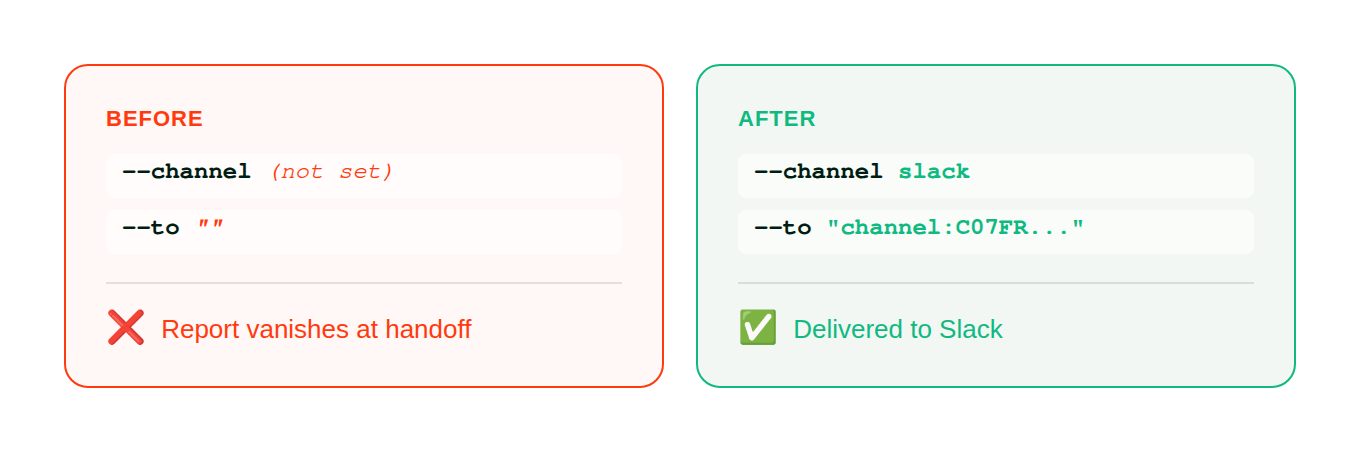
# Before: no explicit target (works with one platform, breaks with two)
openclaw cron edit <JOB_UUID> --to ""

# After: pinned to a specific service and destination
openclaw cron edit <JOB_UUID> --channel <platform> --to "channel:<CHANNEL_ID>"
Replace <platform> with the service name (slack, telegram, discord) and <CHANNEL_ID> with the actual recipient identifier.
The configuration change:
4. Add a recurring health check
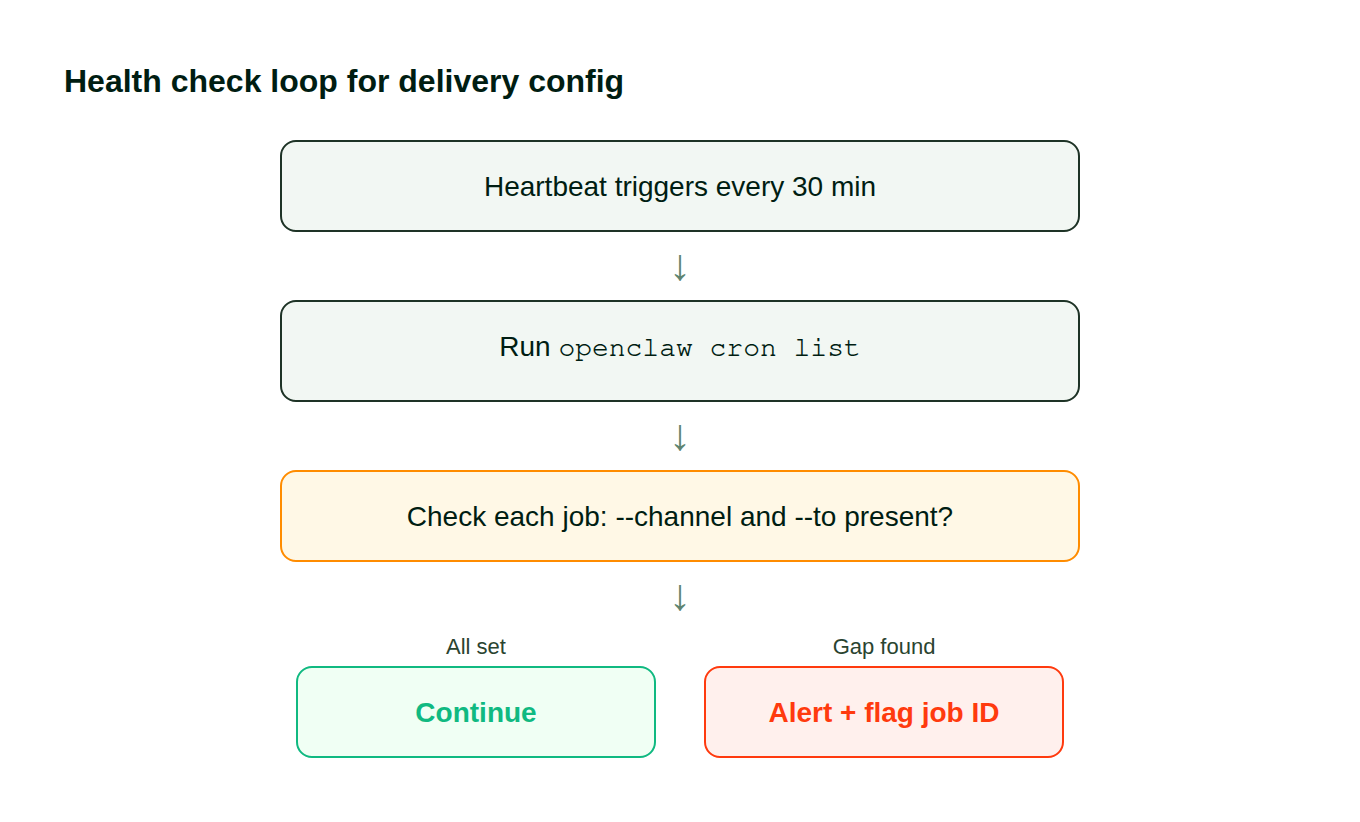
The next time you modify your messaging integrations, this breaks again unless you catch drift early. Add a verification step to your heartbeat or monitoring config:
## Routing config audit
Run openclaw cron list, verify every active entry
has both --channel and --to populated. Flag gaps immediately.
This catches missing parameters before your next integration change causes another round of silent breakage:
How to verify
Trigger one of the previously broken tasks:
openclaw cron trigger <JOB_UUID>Watch your destination. If output arrives within the expected runtime window, the fix worked. Confirm the logs show no errors:
openclaw gateway logs | tail -20Zero lines matching requires target or Channel is required means every handoff resolves correctly.
Stop debugging delivery problems by hand
We built Pazi on OpenClaw and hit this failure pattern in our first week of production. Five daily agents, all running, none delivering — because adding Slack as a second channel broke the implicit routing. The fix above is what we actually deployed.
Build your first agent at pazi.ai →
This pattern showed up running five daily agents at Pazi, powered by OpenClaw.



