
Pazi now supports OAuth connections to your Codex subscription (ChatGPT Plus or Pro). Once connected, agent model calls route through your OpenAI quota instead of Pazi credits. Available now in every Pazi workspace.
Workspace agents inside ChatGPT itself require a Business, Enterprise, or Edu plan. In Pazi they don't. A ChatGPT Plus or Pro subscription connects in one OAuth flow, and every Slack teammate in the workspace runs on your Codex quota from that point.
What's included
- Workspace-scoped OAuth. One connection, every agent.
- Gateway-stored tokens. Credentials live on the workspace gateway, never in Pazi's database or the frontend.
- Local token refresh against OpenAI, not through Pazi's backend.
- Immediate revocation. Disconnecting removes the token from the gateway on the next request.
- Compatible with existing credits. Workspaces that skip the connection keep running on Pazi credits.
How it works
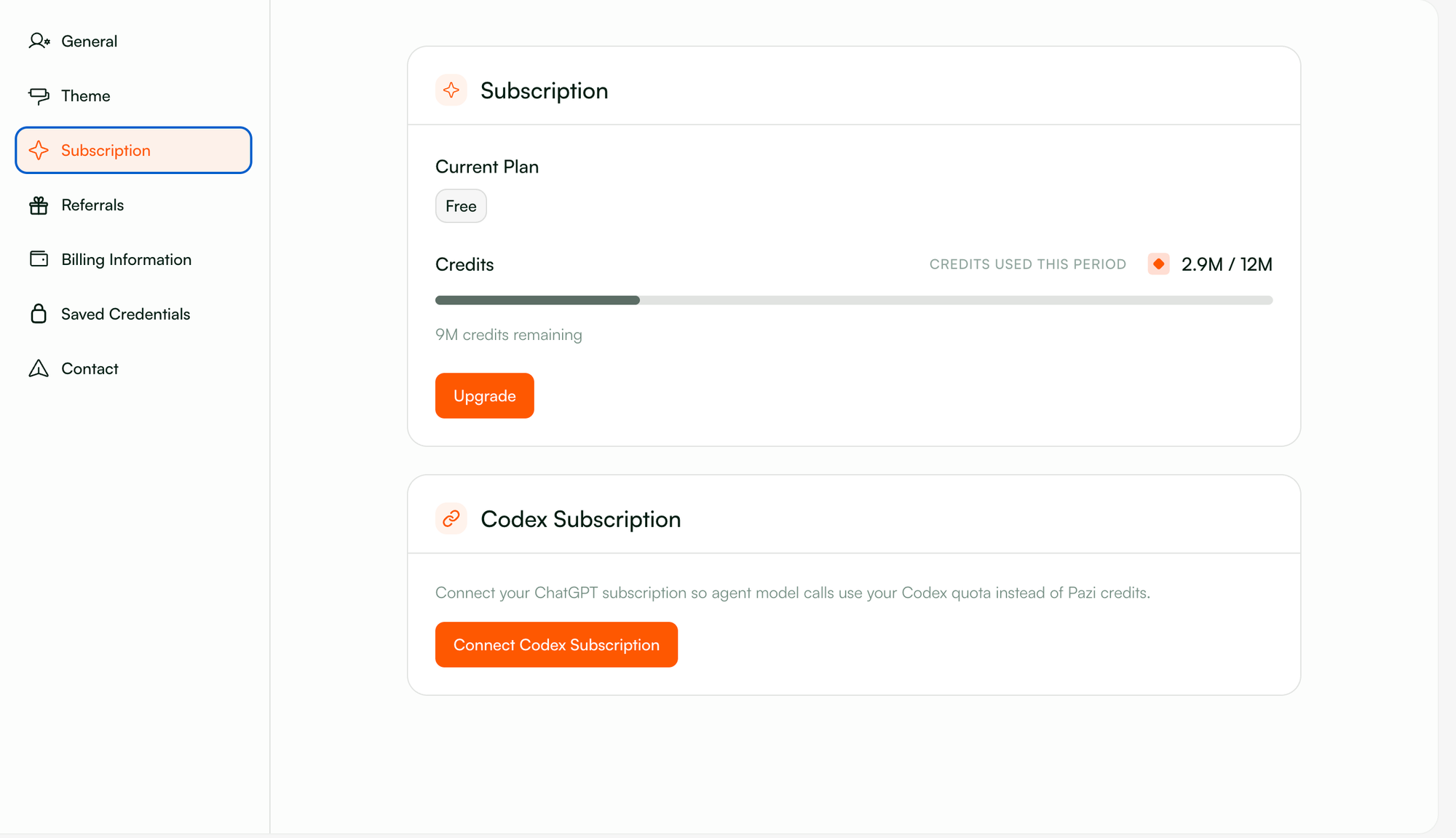
The Subscription page in Pazi now shows a Codex Subscription card next to the credit balance view. Click Connect Codex Subscription to begin an OAuth PKCE flow between the workspace gateway and OpenAI. Local workspaces complete the callback automatically. Remote workspaces and VPS deployments, where the automatic callback cannot reach the user, fall back to a manual paste flow. The user finishes authentication in a browser, copies the returned code from OpenAI, and pastes it into Pazi to complete the link.
From there, every agent model call routes through the workspace gateway, which attaches the OAuth token to each outbound request on its way to OpenAI and handles token refresh locally when tokens near expiry. Pazi's backend never sees the credential.



